FastAPI handles roughly 30,000 requests per second on a single process according to TechEmpower benchmarks. It generates OpenAPI documentation without extra configuration and catches type errors before requests hit your code. If you need a Python REST API and do not want to wrestle with boilerplate, FastAPI covers the critical path.
This guide walks through building a task manager API from scratch. By the end you will have a running server with create, read, update, delete endpoints, automated tests, and a list of mistakes to watch out for.
Contents
1. Environment Setup
Requirements: Python 3.8 or newer. Code in this guide was tested on Python 3.12.3.
python --versionCreate a virtual environment to isolate dependencies. Skip this and you will run into version conflicts sooner or later.
# Create the environment
python -m venv fastapi-env

# Activate — Windows
fastapi-env\Scripts\activate

# Activate — macOS / Linux
source fastapi-env/bin/activate
Install FastAPI and Uvicorn. Uvicorn is the ASGI server that runs your app. These versions are current as of June 2026.
pip install "fastapi==0.115.0" "uvicorn[standard]==0.34.0"[standard] to Uvicorn installs optional dependencies (uvloop, httptools). These improve throughput by 20–40% on Linux. Not required, but worth the 30 seconds.
2. Your First Endpoint
Create main.py and write a minimal app:
from fastapi import FastAPI

app = FastAPI(
    title="Task Manager API",
    description="A simple task management REST API",
    version="1.0.0",
)


@app.get("/")
def read_root():
    return {"message": "Task Manager API is running"}


@app.get("/hello/{name}")
def say_hello(name: str):
    return {"greeting": f"Hello, {name}!"}
Start the server with auto-reload enabled. The --reload flag restarts Uvicorn whenever you save changes to .py files.
uvicorn main:app --reloadVisit http://127.0.0.1:8000 for the JSON response. Navigate to http://127.0.0.1:8000/docs for the auto-generated Swagger UI. FastAPI built this from the type annotations and docstrings without a single line of YAML.
--reload watches Python files for changes. It does NOT watch template files, configuration files, or anything outside the project directory. If you edit requirements.txt, restart manually.
3. CRUD Operations
Build a task manager with create, read, update, and delete endpoints. Start with the data model, then add each operation.
Define the Data Model
Pydantic models are the foundation of FastAPI. They validate request bodies, serialize responses, and feed into the OpenAPI documentation.
from pydantic import BaseModel
from datetime import datetime


class TaskCreate(BaseModel):
    """Schema for creating a new task."""
    title: str
    description: str = ""
    priority: int = 1  # 1-low, 2-medium, 3-high


class Task(TaskCreate):
    """Schema for a task that exists in the system (has an ID and timestamp)."""
    id: int
    created_at: datetime
    completed: bool = False
Two models instead of one. TaskCreate is the input schema (no id, no timestamp). Task is the output schema with all fields. Separating these prevents clients from injecting IDs and keeps the API contract clean.
dict for storage. That is fine for learning but not for production. The Next Steps section covers database options.
Storage Layer
from fastapi import FastAPI, HTTPException

app = FastAPI(
    title="Task Manager API",
    version="1.0.0",
)

# In-memory storage (replace with SQLAlchemy or SQLModel for production)
tasks_db: dict[int, Task] = {}
_next_id: int = 1


def _get_next_id() -> int:
    global _next_id
    task_id = _next_id
    _next_id += 1
    return task_id
Create — POST /tasks
@app.post("/tasks", response_model=Task, status_code=201)
def create_task(task: TaskCreate):
    new_task = Task(
        id=_get_next_id(),
        created_at=datetime.now(),
        **task.model_dump(),
    )
    tasks_db[new_task.id] = new_task
    return new_task
response_model=Task tells FastAPI to serialize the return value through the Task model, stripping any extra fields and adding a type safety layer. status_code=201 returns the HTTP 201 Created status instead of the default 200.
Read All — GET /tasks
@app.get("/tasks", response_model=list[Task])
def list_tasks(
    completed: bool | None = None,
    priority: int | None = None,
):
    result = list(tasks_db.values())
    if completed is not None:
        result = [t for t in result if t.completed == completed]
    if priority is not None:
        result = [t for t in result if t.priority == priority]
    return result
Query parameters ?completed=true and ?priority=3 let clients filter results. FastAPI handles the type conversion and validation for free.
Read One — GET /tasks/{task_id}
@app.get("/tasks/{task_id}", response_model=Task)
def get_task(task_id: int):
    if task_id not in tasks_db:
        raise HTTPException(status_code=404, detail=f"Task {task_id} not found")
    return tasks_db[task_id]
HTTPException is FastAPI's standard way to return error responses. Setting status_code=404 returns a proper HTTP 404 with a JSON body.
Update — PUT /tasks/{task_id}
@app.put("/tasks/{task_id}", response_model=Task)
def update_task(task_id: int, task_update: TaskCreate):
    if task_id not in tasks_db:
        raise HTTPException(status_code=404, detail=f"Task {task_id} not found")
    existing = tasks_db[task_id]
    updated = Task(
        id=task_id,
        created_at=existing.created_at,
        completed=existing.completed,
        **task_update.model_dump(),
    )
    tasks_db[task_id] = updated
    return updated
Using PUT (full replacement) rather than PATCH (partial update) keeps the logic simple. The existing id, created_at, and completed fields are preserved while all other fields update from the request body.
Delete — DELETE /tasks/{task_id}
@app.delete("/tasks/{task_id}")
def delete_task(task_id: int):
    if task_id not in tasks_db:
        raise HTTPException(status_code=404, detail=f"Task {task_id} not found")
    del tasks_db[task_id]
    return {"detail": f"Task {task_id} deleted"}
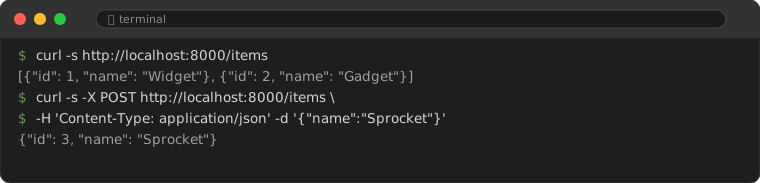
Run uvicorn main:app --reload and test all endpoints at http://127.0.0.1:8000/docs. The Swagger UI shows every endpoint, its parameters, expected request bodies, and response schemas.
4. Testing with TestClient
FastAPI includes TestClient (built on httpx) for writing tests without starting a server. Install the testing dependency:
pip install httpx pytestCreate test_main.py:
import pytest
from fastapi.testclient import TestClient
from main import app

client = TestClient(app)


class TestRoot:
    def test_returns_200(self):
        response = client.get("/")
        assert response.status_code == 200
        assert "message" in response.json()

    def test_returns_json_content_type(self):
        response = client.get("/")
        assert response.headers["content-type"] == "application/json"


class TestCreateTask:
    def test_creates_and_returns_task(self):
        payload = {"title": "Learn FastAPI", "description": "Follow the guide"}
        response = client.post("/tasks", json=payload)
        assert response.status_code == 201
        data = response.json()
        assert data["title"] == "Learn FastAPI"
        assert data["id"] == 1

    def test_sets_default_priority(self):
        response = client.post("/tasks", json={"title": "Minimal task"})
        assert response.json()["priority"] == 1

    def test_empty_title_fails(self):
        response = client.post("/tasks", json={"title": ""})
        assert response.status_code == 422  # Pydantic validation error


class TestGetTask:
    def test_returns_404_for_missing_task(self):
        response = client.get("/tasks/99999")
        assert response.status_code == 404


class TestDeleteTask:
    def test_deletes_existing_task(self):
        resp = client.post("/tasks", json={"title": "To delete"})
        task_id = resp.json()["id"]
        delete_resp = client.delete(f"/tasks/{task_id}")
        assert delete_resp.status_code == 200

    def test_delete_missing_task_returns_404(self):
        response = client.delete("/tasks/99999")
        assert response.status_code == 404
Run the tests:
pytest test_main.py -vThe TestClient routes requests through the FastAPI app directly, no network stack involved. Tests run fast and the result is deterministic.
5. Common Pitfalls
Every framework has sharp edges. These are the ones that catch people coming to FastAPI for the first time.
5.1 Mixing sync and async incorrectly
FastAPI supports both def (sync) and async def (async) route handlers. Mixing them incorrectly causes performance degradation.
# WRONG: calling a blocking function inside an async route
@app.get("/wrong")
async def wrong_way():
    time.sleep(5)  # Blocks the entire event loop
    return {"done": True}

# CORRECT: use sync route OR run in threadpool
@app.get("/correct")
def correct_way():  # sync route — FastAPI runs it in a threadpool
    time.sleep(5)
    return {"done": True}
Rule of thumb: Use async def only when calling other async-aware libraries (aiohttp, asyncpg, httpx.AsyncClient). Use def for everything else. FastAPI runs sync handlers in a threadpool so they do not block async routes.
5.2 Forgetting response_model
Without response_model, FastAPI serializes whatever you return. If you return an ORM object with internal attributes (like _sa_instance_state), those leak into the response.
# WRONG: leaks internal state
@app.get("/tasks/{task_id}")
def get_task(task_id: int):
    return tasks_db[task_id]  # Could include unintended fields

# CORRECT: response_model filters the output
@app.get("/tasks/{task_id}", response_model=Task)
def get_task(task_id: int):
    return tasks_db[task_id]  # Only Task fields appear in response
5.3 CORS configuration missing
If a browser frontend calls your API, you need CORS middleware. Without it, browsers block cross-origin requests and you will see No 'Access-Control-Allow-Origin' header errors.
from fastapi.middleware.cors import CORSMiddleware

app.add_middleware(
    CORSMiddleware,
    allow_origins=["http://localhost:5173"],  # Your frontend origin
    allow_credentials=True,
    allow_methods=["*"],
    allow_headers=["*"],
)
Set allow_origins to specific origins in production. Using ["*"] is convenient during development but a security liability when deployed.
5.4 Path parameter type mismatch
FastAPI converts path parameters based on type annotations, but that does not catch every edge case.
@app.get("/tasks/{task_id}")
def get_task(task_id: int):  # Works: /tasks/123
    ...

@app.get("/tasks/{task_id}")
def get_task(task_id: int):  # Fails: /tasks/abc — returns 422
    ...
A request to /tasks/abc returns a 422 Unprocessable Entity error because "abc" cannot convert to int. This is correct behavior, but the error message can be generic. Consider a custom exception handler if your API needs friendlier validation messages.
6. Performance Context
FastAPI sits near the top of Python web framework benchmarks, but "near the top of Python" is not the same as "fast among all frameworks."
| Framework | Requests/sec (single process) | Latency (p50) | Notes |
|---|---|---|---|
| FastAPI (Uvicorn) | ~30,000 | ~3ms | With uvloop + httptools on Linux |
| Flask (Gunicorn, 4 workers) | ~4,000 | ~25ms | Sync only, WSGI baseline |
| Django (Gunicorn, 4 workers) | ~2,500 | ~40ms | Full-stack, ORM overhead |
| Express.js | ~35,000 | ~2ms | Node.js baseline for comparison |
| Go (net/http) | ~80,000 | ~1ms | Compiled language baseline |
Source: TechEmpower Web Framework Benchmarks, Round 22 (2024). Numbers are approximate and depend on hardware, workload, and configuration.
Takeaway: FastAPI is fast enough for the vast majority of use cases. If a single Python process serves 30K requests per second and your API handles 100 requests per second, the bottleneck is elsewhere. Before micro-optimizing framework choice, profile the database queries and external API calls first.
7. Next Steps
Add a database
SQLModel (by the same author as FastAPI) combines SQLAlchemy and Pydantic, giving you database models that double as API schemas. For smaller projects, SQLite with aiosqlite works well. For anything that needs concurrent writes, PostgreSQL with asyncpg.
pip install sqlmodel
# Then replace the in-memory dict with SQLModel session queries
Add authentication
python-jose handles JWT creation and verification. passlib handles password hashing. FastAPI's dependency injection system makes auth middleware clean.
pip install python-jose[cryptography] passlib[bcrypt] python-multipartDeploy
Uvicorn behind a reverse proxy (Nginx, Caddy) is the standard pattern. For containerized deployments, Docker with a multi-stage build keeps image sizes small. Platforms like Railway, Render, and Fly.io offer free tiers that handle FastAPI apps well.
# Production command (no --reload)
uvicorn main:app --host 0.0.0.0 --port 8000 --workers 4
Official documentation at fastapi.tiangolo.com covers these topics in depth.
Frequently Asked Questions
Is FastAPI suitable for production?
Netflix, Uber, and Microsoft use it in production. FastAPI is built on Starlette and Uvicorn, both of which have been stable for years. The framework hit version 0.100 in 2024 and has not had a backward-incompatible release since.
FastAPI vs Flask — which should I pick?
FastAPI includes async support, automatic OpenAPI docs, and request validation without additional libraries. Flask requires extensions for each of these (Flask-RESTX, marshmallow, etc.). For new API projects, FastAPI is the default choice unless you need Flask's ecosystem of extensions.
Do I need async Python to use FastAPI?
No. Every endpoint in this guide uses synchronous def. FastAPI runs these in a threadpool. Async is an optimization you add when profiling shows it matters.
When should I NOT use FastAPI?
If you need server-rendered HTML with a built-in admin panel, Django is a better fit. If you need a full-stack SSR framework with built-in auth and ORM, consider Django or Laravel. FastAPI is purpose-built for APIs; it does not include a template engine or admin interface.