You built a Python web app. It works on your laptop. Now you want the world to see it — but you do not want to pay for a server. Good news: in 2026, there are five excellent free hosting options for Python web apps. This guide compares them all and shows you how to deploy to each one.
1. Quick Comparison: 5 Free Python Hosts
| Platform | Free Tier | Best For | Sleeps When Idle? |
|---|---|---|---|
| Railway | $5 credit/month (~500 hrs) | Production apps, databases | No |
| Render | 1 web service + PostgreSQL | Simple Flask/FastAPI apps | Yes (after 15 min) |
| Fly.io | 3 shared VMs (256MB each) | Docker-based, global edge | No |
| Vercel | 100 GB bandwidth, serverless | Next.js + Python API routes | Cold starts only |
| PythonAnywhere | 1 web app, 512MB disk | Absolute beginners, Flask | No |
2. Railway — Best All-Rounder
Why it wins: No cold starts. Built-in PostgreSQL and Redis. GitHub auto-deploy.
Deploy to Railway:
# 1. Create a GitHub repo with your project
# 2. Add a requirements.txt
# 3. Go to railway.com → New Project → Deploy from GitHub
# 4. Railway auto-detects Python and builds

# If Railway does not auto-detect, add a railway.json:
{
  "build": {
    "builder": "NIXPACKS"
  },
  "deploy": {
    "startCommand": "uvicorn main:app --host 0.0.0.0 --port $PORT"
  }
}
Railway's $5/month credit is usually enough for 2-3 small apps running continuously.
3. Render — Easiest One-Click Deploy
# 1. Push your Flask/FastAPI project to GitHub
# 2. Go to render.com → New Web Service
# 3. Connect GitHub repo
# 4. Set:
#    - Build Command: pip install -r requirements.txt
#    - Start Command: uvicorn main:app --host 0.0.0.0 --port $PORT
# 5. Click Deploy

# Project structure example:
project/
  main.py
  requirements.txt    # fastapi, uvicorn, etc.
  runtime.txt         # python-3.12
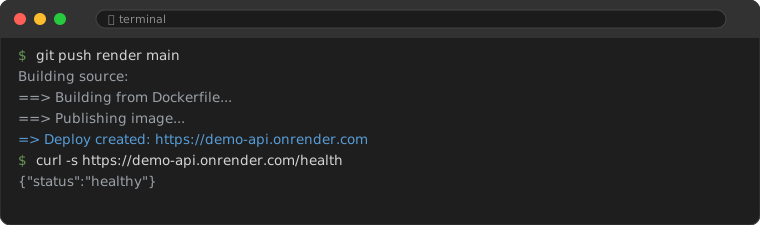
Downside: The free tier sleeps after 15 minutes of inactivity. The first request after sleep takes 30-60 seconds. Good for demos and portfolio projects, not for production.
4. Fly.io — Docker-Based, Global Edge
# 1. Install the Fly CLI
curl -L https://fly.io/install.sh | sh

# 2. Create a Dockerfile
FROM python:3.12-slim
WORKDIR /app
COPY requirements.txt .
RUN pip install -r requirements.txt
COPY . .
CMD ["uvicorn", "main:app", "--host", "0.0.0.0", "--port", "8080"]

# 3. Deploy
fly launch
fly deploy

# 4. Open your app
fly open
Fly.io deploys your app to servers near your users (global edge). No cold starts. The free tier gives you 3 small VMs — enough for 1-2 apps.
5. Vercel — If You Use Next.js + Python
Vercel supports Python via serverless functions. Best for hybrid apps where the frontend is Next.js and the backend is Python.
# api/index.py
from http.server import BaseHTTPRequestHandler
from io import BytesIO

class handler(BaseHTTPRequestHandler):
    def do_GET(self):
        self.send_response(200)
        self.end_headers()
        self.wfile.write(str.encode("Hello from Vercel Python!"))
6. PythonAnywhere — Best for Beginners
The simplest option. No CLI. No Docker. Just upload your file and it runs.
# 1. Sign up at pythonanywhere.com (free)
# 2. Go to Web tab → Add a new web app → Flask or manual
# 3. Upload your code (or clone from GitHub)
# 4. Set WSGI file path
# 5. Click Reload

# Your app is live at: yourusername.pythonanywhere.com
Limitations: Restricted to whitelisted external sites (can only access approved APIs). No WebSocket support. Suitable for learning and simple Flask demos.
7. Which One Should You Use?
| Your Situation | Use |
|---|---|
| Learning, first-ever deployment | PythonAnywhere — simplest UI |
| Portfolio project, demo, hackathon | Render — free, quick, sleeps when idle (fine for demos) |
| Side project that needs to always be on | Railway — $5 credit, no sleeping |
| Dockerized app, want global edge | Fly.io — Docker-native, deployed worldwide |
| Next.js frontend + Python API | Vercel — serverless Python in the same project |
For 90% of personal projects in 2026: start with Render (easiest) or Railway (best balance of free + no sleeping).
8. Common Mistakes
8.1. Forgetting to Configure the Host Binding
Flask and FastAPI default to 127.0.0.1 (localhost), which only accepts connections from the same machine. Cloud platforms route external traffic to your container, so always bind to 0.0.0.0 and use the platform's $PORT environment variable:
# WRONG: only listens on localhost
uvicorn main:app --port 8000

# CORRECT: binds to all interfaces and uses the platform's port
uvicorn main:app --host 0.0.0.0 --port $PORT
8.2. Uploading Secrets to GitHub
The quickest way to deploy on most platforms is connecting a GitHub repository. If your .env file or hardcoded API keys are in that repo, they become public. Use the platform's environment variable settings (all five platforms support them) and add .env to .gitignore.
8.3. Picking a Platform That Sleeps for a Production App
Render and Vercel free tiers put your app to sleep after inactivity. The wake-up takes 30-60 seconds on Render's free tier. For anything that needs to respond immediately (APIs, webhooks), use Railway or Fly.io, which keep your app warm.
FAQ
Can I really host a Python app completely for free?
Yes. All five platforms listed have genuine free tiers. You can run a Flask or FastAPI app at zero cost. Limitations apply (sleeping, bandwidth caps) but for personal projects, they are completely sufficient.
Which free host supports databases?
Railway and Render both offer free PostgreSQL. Fly.io requires you to set up your own database (or use a separate free service like Supabase).
When should I start paying?
When your app gets real users (>100 daily), or when cold starts become unacceptable, or when you need guaranteed uptime. Until then, free tiers are excellent.