LangChain is the most popular framework for building applications powered by large language models (LLMs). If you want to build AI apps that go beyond a simple chatbot — apps that can search documents, call APIs, remember conversations — LangChain is the tool you need.
This guide takes you from zero to a working AI application. No prior LangChain experience needed. Just basic Python.
1. What Is LangChain?
LangChain is an open-source Python framework (also JavaScript) for building applications with LLMs. It provides reusable components — chains, agents, memory, retrievers — that you compose together to build complex AI workflows.
What LangChain Solves:
- Prompt management: Template prompts with dynamic variables
- Chaining: Connect multiple LLM calls in sequence
- Memory: Let LLMs remember previous conversations
- Tools & Agents: Let LLMs decide what actions to take
- RAG (Retrieval-Augmented Generation): Query your own documents
Think of LangChain as LEGO for AI applications. Each piece does one thing well. You snap them together to build something bigger.
2. Installing LangChain
pip install langchain langchain-openaiYou also need an OpenAI API key. Set it as an environment variable:
# macOS / Linux
export OPENAI_API_KEY="sk-your-key-here"

# Windows (Command Prompt)
set OPENAI_API_KEY=sk-your-key-here

# Windows (PowerShell)
$env:OPENAI_API_KEY="sk-your-key-here"
3. Your First Chain: A Simple LLM Call
The simplest LangChain application is a single LLM call wrapped in a chain:
from langchain_openai import ChatOpenAI
from langchain_core.prompts import ChatPromptTemplate
from langchain_core.output_parsers import StrOutputParser

# 1. Create the LLM
llm = ChatOpenAI(model="gpt-4o-mini", temperature=0.7)

# 2. Create a prompt template
prompt = ChatPromptTemplate.from_messages([
    ("system", "You are a helpful AI assistant that explains concepts simply."),
    ("user", "Explain {topic} in one paragraph.")
])

# 3. Create an output parser
output_parser = StrOutputParser()

# 4. Build the chain: prompt → llm → parser
chain = prompt | llm | output_parser

# 5. Run it
result = chain.invoke({"topic": "quantum computing"})
print(result)
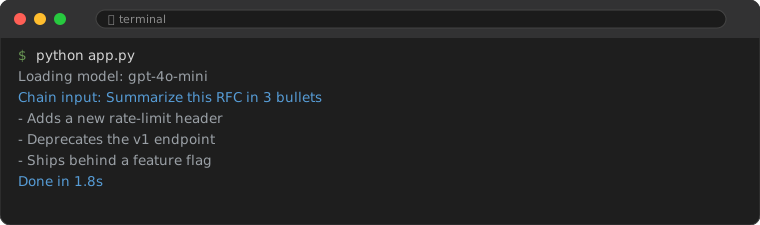
That pipe (|) operator is LangChain's LCEL (LangChain Expression Language). It connects components in a clean, readable way. The data flows left to right: input → prompt → llm → parser → output.
4. Adding Memory: A Conversational Chatbot
A single LLM call has no memory. Every time you ask something, it starts fresh. To build a chatbot that remembers the conversation, you need memory.
from langchain_openai import ChatOpenAI
from langchain_core.prompts import ChatPromptTemplate, MessagesPlaceholder
from langchain_core.output_parsers import StrOutputParser
from langchain_community.chat_message_histories import ChatMessageHistory
from langchain_core.runnables.history import RunnableWithMessageHistory

# Store conversation history (in production, use a database)
store = {}

def get_session_history(session_id: str):
    if session_id not in store:
        store[session_id] = ChatMessageHistory()
    return store[session_id]

# Prompt with a placeholder for history
prompt = ChatPromptTemplate.from_messages([
    ("system", "You are a helpful assistant."),
    MessagesPlaceholder(variable_name="history"),
    ("user", "{input}")
])

chain = prompt | ChatOpenAI(model="gpt-4o-mini") | StrOutputParser()

# Wrap the chain with memory
chain_with_memory = RunnableWithMessageHistory(
    chain,
    get_session_history,
    input_messages_key="input",
    history_messages_key="history"
)

# First message
response1 = chain_with_memory.invoke(
    {"input": "My name is Alice."},
    config={"configurable": {"session_id": "user-123"}}
)
print(response1)

# Second message — it remembers!
response2 = chain_with_memory.invoke(
    {"input": "What is my name?"},
    config={"configurable": {"session_id": "user-123"}}
)
print(response2)  # "Your name is Alice."
The key piece is RunnableWithMessageHistory. It automatically loads the conversation history from get_session_history, injects it into the prompt, and saves new messages after each call.
5. Building a RAG App: Chat with Your Documents
The most powerful LangChain pattern is RAG (Retrieval-Augmented Generation). It lets you ask questions about your own documents — PDFs, text files, web pages — and get answers grounded in that content.
Step-by-Step RAG Pipeline:
from langchain_openai import ChatOpenAI, OpenAIEmbeddings
from langchain_core.prompts import ChatPromptTemplate
from langchain_core.output_parsers import StrOutputParser
from langchain_text_splitters import RecursiveCharacterTextSplitter
from langchain_community.vectorstores import FAISS
from langchain_community.document_loaders import TextLoader
from langchain_core.runnables import RunnablePassthrough

# 1. Load documents
loader = TextLoader("./my_document.txt")
documents = loader.load()

# 2. Split into chunks
text_splitter = RecursiveCharacterTextSplitter(
    chunk_size=500,
    chunk_overlap=50
)
chunks = text_splitter.split_documents(documents)

# 3. Create embeddings and store in a vector database
embeddings = OpenAIEmbeddings()
vectorstore = FAISS.from_documents(chunks, embeddings)

# 4. Create a retriever
retriever = vectorstore.as_retriever(search_kwargs={"k": 3})

# 5. Build a prompt that uses retrieved context
template = """Answer the question based only on the following context:

{context}

Question: {question}
"""
prompt = ChatPromptTemplate.from_template(template)

llm = ChatOpenAI(model="gpt-4o-mini")

# 6. Build the RAG chain
def format_docs(docs):
    return "\n\n".join(doc.page_content for doc in docs)

rag_chain = (
    {"context": retriever | format_docs, "question": RunnablePassthrough()}
    | prompt
    | llm
    | StrOutputParser()
)

# 7. Ask questions!
answer = rag_chain.invoke("What is the main topic of my document?")
print(answer)
How RAG Works:
- Load: Read documents (TXT, PDF, web pages, etc.)
- Split: Break documents into small chunks
- Embed: Convert each chunk into a numerical vector (embedding)
- Store: Save vectors in a vector database (FAISS, Chroma, Pinecone)
- Retrieve: When the user asks a question, find the most similar chunks
- Generate: Feed chunks + the question to the LLM for a grounded answer
6. When to Use LangChain vs Plain API Calls
| Use LangChain When | Use Plain API Calls When |
|---|---|
| You need multi-step LLM workflows (chains) | You just need a single LLM call |
| You want to query your own documents (RAG) | You want maximum control and minimal abstraction |
| You need conversation memory | You are building a simple prototype |
| You want to use agents with tools | You want to avoid dependency overhead |
| You plan to switch LLM providers later | You are locked into one provider |
7. Where to Go Next
- Build a real project: Try a PDF Q&A bot, a code reviewer, or a meeting summarizer
- Explore agents: LangChain agents can use tools (APIs, calculators, search) to accomplish goals
- Try LangSmith: LangChain's debugging and monitoring platform
- Read the docs: python.langchain.com is comprehensive
LangChain has a steep learning curve. Learn the three patterns in this guide — chain, memory, RAG — and you build 80% of real-world AI applications.
8. Common Mistakes
8.1. Hardcoding the API Key
Embedding your OpenAI key directly in source code creates a security risk and makes the key visible in version control. Use environment variables or a .env file with python-dotenv.
# BAD: key in source code
llm = ChatOpenAI(api_key="sk-...")

# GOOD: from environment
from dotenv import load_dotenv
load_dotenv()
llm = ChatOpenAI()  # reads OPENAI_API_KEY automatically
8.2. Ignoring the Vector Store Persistence
By default, FAISS.from_documents creates an in-memory index. Each time your script restarts, it re-embeds all documents — slow and wasteful. Save the index to disk after creation and load it on subsequent runs.
# Save after creation
vectorstore.save_local("faiss_index")

# Load instead of re-creating
vectorstore = FAISS.load_local("faiss_index", embeddings)
8.3. Using the Wrong Chunk Size
Chunks that are too large drown the LLM in irrelevant text. Chunks that are too small lose context. A chunk size of 500-1000 characters with 10-20% overlap works well for most documents. Experiment with your specific content.
Frequently Asked Questions
Do I need an OpenAI API key to use LangChain?
No. LangChain supports many LLM providers: Anthropic, Google Gemini, Cohere, local models via Ollama, and more. You can use any provider with an API key.
Is LangChain free?
LangChain itself is free and open-source. You pay for the LLM API calls (OpenAI, Anthropic, etc.) separately. Using local models via Ollama is completely free.
Should I learn LangChain or just use the OpenAI API directly?
Start with the OpenAI API for simple projects. Add LangChain when you need chains, memory, RAG, or agents. It is a tool, not a religion — use it when it helps.